How to Create a Smart Kitchen on a Small Budget
The idea of a smart kitchen sounds expensive—but with the right strategy, you can upgrade your cooking space without breaking the bank.
You’ve seen the ads: sleek smart refrigerators with touchscreens, voice-activated faucets, and AI-powered ovens that cost thousands. It’s easy to assume that a smart kitchen is only for people with deep pockets. But here’s the good news: you don’t need a full renovation or premium appliances to enjoy a smarter, more efficient cooking space. With smart shopping and a focus on what actually matters, you can build a kitchen that works for you—without draining your savings.
TL;DR
Creating a smart kitchen on a budget is entirely possible. Start with affordable upgrades like smart plugs and motion-sensing lights. Look for multi-function appliances that replace several tools in one compact device—IKEA’s new multi-cooker costs under £100. Add practical organization tools like sliding shelves and magnetic strips to maximize space. Finally, use free features like voice assistants on your phone to control devices and manage shopping lists. The goal is solving real problems, not collecting expensive gadgets.
Key Takeaways
- Start small with smart plugs and bulbs—they’re affordable and instantly add smart features to existing appliances.
- Multi-function appliances like the IKEA TILLREDA multi-cooker (£85) replace several gadgets, saving both money and counter space.
- Organization upgrades like sliding shelves and wall storage cost little but make a huge difference.
- Use the three-question filter before buying: Will I use this at least twice a week? Does it replace a more expensive habit? Can it be resold?
- Voice assistants are free—use your phone’s built-in assistant for timers, recipes, and shopping lists.
Start with Affordable Essentials
The cheapest way to build a smart kitchen is to add intelligence to what you already own. You don’t need new appliances.
Smart Plugs and Smart Bulbs
These are the gateway to a smart kitchen. A smart plug lets you control any appliance remotely or on a schedule . Plug in your coffee maker, and set it to turn on 10 minutes before your alarm. Plug in a lamp or under-cabinet lights, and control them with your phone or voice.
IKEA recently launched a new line of Matter-compatible smart home products, including smart plugs that promise to work with your existing smart home ecosystem . Because IKEA makes them, they’re likely more affordable than other options . Smart bulbs allow you to adjust brightness and color temperature for cooking tasks versus ambient dining.
Under-Cabinet Lighting
Good lighting transforms how a kitchen feels. Under-cabinet LED strips and task lighting brighten work areas while making the room feel larger . This practical upgrade costs far less than new appliances but significantly improves functionality.
Smart Sensors for Safety
Affordable sensor alerts offer an effective way to enhance your kitchen’s security without stretching your budget . Budget-friendly sensors are easy to install and require minimal setup, making them perfect for DIY enthusiasts . You can get notifications on your phone when a door opens or a leak occurs . Look for motion sensors, water leak detectors, and humidity sensors . IKEA’s new smart range includes sensors for these purposes .
Invest in Multi-Function Appliances That Replace Multiple Gadgets
Instead of buying several single-use appliances, invest in one versatile device. This saves money and reduces counter clutter.
The Budget Multi-Cooker
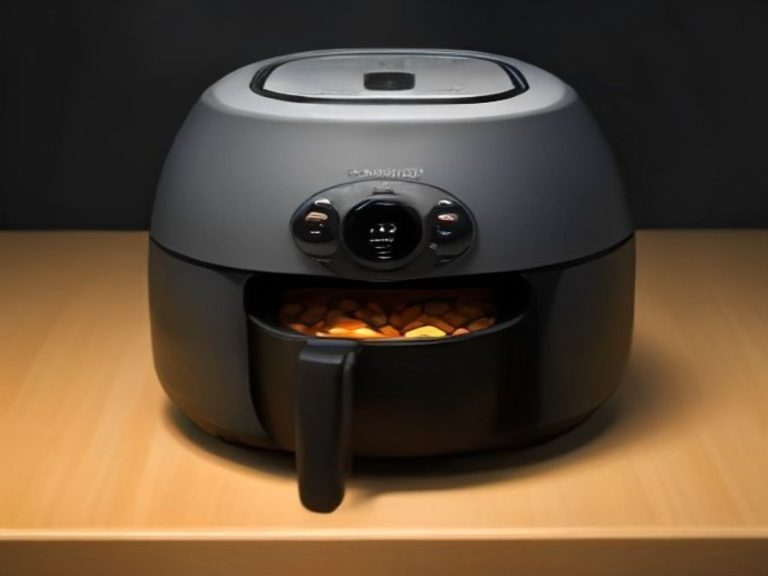
IKEA recently launched the TILLREDA multi-cooker, priced at £85 . It acts as a rice cooker, slow cooker, and multi-cooker all in one device . It has 14 pre-set programmes, including slow cook, bake, boil, rice, soup, stew, fry/sauté, steam, bread rise, yoghurt, porridge, oatmeal, keep warm, and manual mode .
The TILLREDA is quite small (21.6cm in height and 25cm in diameter), so it takes up very little counter space . Yet it can make up to two litres of food at a time . If you’re on a tight budget and want a do-it-all kitchen gadget, it fits the bill perfectly .
A Budget-Friendly All-in-One Cooking Machine
For those who want the guided cooking experience of a Thermomix without the £1,000+ price tag, the Silvercrest Monsieur Cuisine Smart is a credible low-cost alternative . It typically costs a fraction of a Thermomix, making it one of the most accessible all-in-one cooking machines with guided recipes, built-in scales, steaming, kneading, sautéing, and app connectivity .
However, approach with realistic expectations. Reviews note that while it feels solid and modern, the built-in recipes can be inconsistent, and it’s a bulky machine that takes up space . The smart features are underwhelming—the app connection works, but the recipes often require user intervention to salvage . If you mainly want guided cooking without spending premium money, it’s worth considering, but be prepared for trade-offs .
Budget-Friendly Alternatives to Premium Brands
High-end smart appliances are tempting, but you can often find budget alternatives that do the same job:
- Instead of a smart fridge with a touchscreen ($2,000+): Use a smart display like an Echo Show ($50–$100) on your counter. It does everything the fridge’s screen does, and you can move it anywhere.
- Instead of a premium all-in-one cooking robot (£1,000+): Consider the IKEA TILLREDA multi-cooker (£85) or the Silvercrest Monsieur Cuisine Smart .
- Instead of smart scales with app integration ($80+): Buy a basic digital kitchen scale ($10–$20). A quick web search or voice assistant query provides nutritional information just as easily.
Organization Upgrades That Make a Big Difference
Smart technology isn’t just about electronics. Smart organization can transform your kitchen’s functionality for very little money.
Vertical Storage
Use walls for storage. Jars, crockery, and small appliances can move upwards, freeing valuable counter space . Mobile kitchen trolleys or compact island carts add horizontal work surfaces when needed and can be tucked away easily . Under-cabinet paper towel holders and magnetic knife strips utilize dead space you’re not using anyway.
Drawer and Cabinet Organization
Space is often wasted behind cabinet doors . Pull-out trays, drawer organisers, and corner carousel units can transform cluttered interiors into efficient storage systems . A two-tier sliding shelf prevents “cabinet avalanches” and makes every bit of storage usable . A silverware sorter keeps utensils organized and accessible .
Small Fixes with Big Impact
Sometimes the cheapest upgrades make the biggest difference. Silicone stove gap covers prevent food from falling into the crack between the stove and counter . Drip catchers keep the area behind your faucet dry . Oven liners catch crumbs before they permanently attach themselves, saving hours of cleaning . These items cost under $20 but solve daily frustrations.
Use Free Smart Features
Your phone already contains powerful smart features that can transform your kitchen at zero cost.
Voice Assistants for Recipes and Shopping Lists
Voice control can simplify cooking and household tasks without buying anything . Use voice commands to add items to your shopping list, set timers, and ask for recipe substitutions . “Add eggs to my list,” “set a timer for 10 minutes,” and “what’s the substitution for buttermilk?” all work without spending a penny .
Voice-Controlled Recipe Guidance
Follow recipes step-by-step hands-free using your phone’s assistant. Ask for temperature changes or timers without stopping your prep . Find quick tips or substitutions, keeping your process smooth and efficient .
Meal Planning and Grocery Delivery
Plan meals and manage grocery delivery using voice commands . Add ingredients as you cook, creating an accurate shopping list. Review it before heading to the store or ordering delivery.
Comparison: Budget-Friendly vs. Premium Smart Kitchen Upgrades
| Item | Budget Option | Cost | Premium Option | Cost | Best For |
|---|---|---|---|---|---|
| Smart home hub | Use phone’s voice assistant | Free | Dedicated smart display | $50–$150 | Beginners |
| Appliance control | Smart plug | £10–£25 | Smart appliance | $500+ | Existing appliances |
| Multi-cooker | IKEA TILLREDA | £85 | Instant Pot Pro | $150–$200 | Small kitchens |
| All-in-one cooking | Silvercrest Monsieur Cuisine | £399 | Thermomix TM6 | £1,100+ | Guided cooking fans |
| Kitchen organization | Sliding shelves, magnetic strips | $10–$50 | Custom cabinetry | $500+ | Renters, small spaces |
| Smart lights | IKEA smart bulbs | $10–$20 | Premium smart lighting | $50+ | Basic lighting control |
The Three-Question Filter for Smart Purchases
Before buying any smart kitchen gadget, run it through this decision framework :
- Will I use this at least twice a week? If not, it’s probably not worth the space or money.
- Does it replace a more expensive habit? Will it save you money in the long run (like a cold brew maker replacing daily coffee shop visits)?
- Can it be resold or is it durable? If you can resell it or it will last for years, the investment is safer.
If you answer “yes” to at least two, it’s worth considering . This simple filter eliminates most impulse purchases and keeps your kitchen focused on what actually matters.
FAQ: Common Questions About Budget Smart Kitchens
What’s the cheapest way to start a smart kitchen?
Buy a smart plug for under £25. It instantly makes any appliance “smart” and allows scheduling and remote control .
Can I build a smart kitchen without replacing my appliances?
Yes—smart plugs, sensors, and voice assistants add smart features to your existing kitchen without major purchases.
Is IKEA good for budget smart kitchen gadgets?
Yes—IKEA’s TILLREDA multi-cooker (£85) and Matter-compatible smart home line offer budget-friendly, compatible devices .
What smart kitchen gadgets are actually worth the money?
Multi-cookers that replace several gadgets, smart plugs, motion-sensing lights, and leak detectors consistently earn their keep.
Should I buy second-hand smart appliances?
Yes—second-hand markets, local shops, and community swap groups are excellent sources of gently used appliances at lower prices .
How do I know if a smart feature is useful or a gimmick?
Ask if it solves a specific problem you actually have. If it just sounds cool but doesn’t save time or reduce waste, it’s a gimmick.
Resources and Further Reading for Budget Smart Kitchen Upgrades:
- Smart Savings: Assessing Your Kitchen Tech for Budget-Friendly Cooking
- IKEA Takes on Instant Pot with Its Own Multi-Cooker Under £100
- How to Turn Your Regular Kitchen into a Smart Kitchen on a Budget
- IKEA’s New Affordable Smart Home Collection
Which budget smart upgrade are you most excited to try—or which one have you already tested? Share your thoughts in the comments.