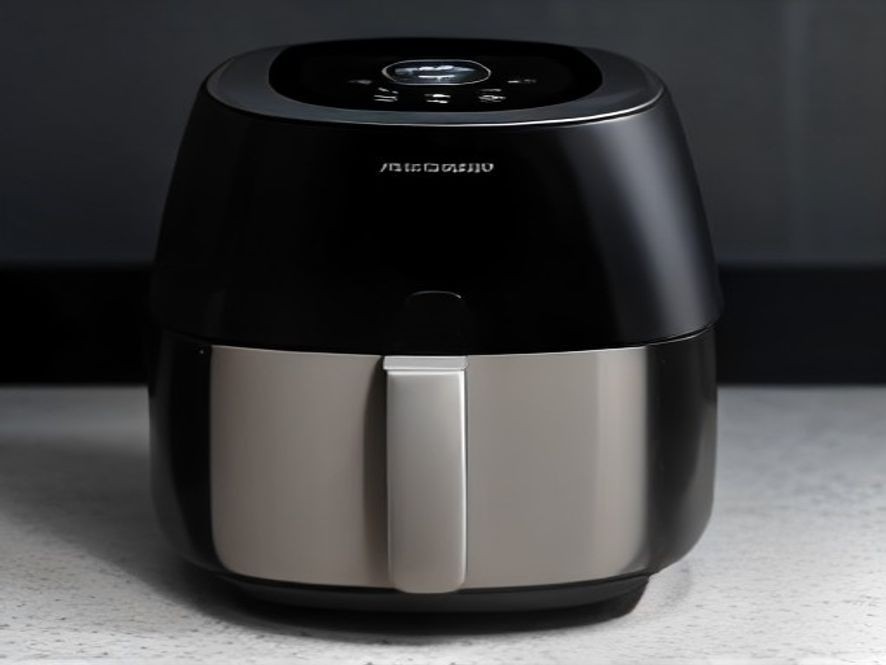
Why Is My Air Fryer Touchscreen Not Responding? A Complete Troubleshooting Guide
You tap the power button, and nothing happens. No beep, no glow, just a dead screen staring back at you while dinner plans fall apart.
It’s one of the most frustrating kitchen moments. The good news? A dead or unresponsive touchscreen rarely means your air fryer is broken for good. Most of the time, the fix is surprisingly simple and takes just a minute or two.
TL;DR
- The Problem: The #1 cause is a greasy, dirty, or wet touchscreen. Grease film blocks the capacitive touch sensors from reading your fingers.
- The Power Reset: A full 10-minute power reset fixes about 65% of unresponsive screen cases.
- The Basket Check: Many air fryers won’t respond at all unless the basket is fully clicked into place (safety interlock).
- When to Give Up: If cleaning and resetting don’t work, the control board or micro-switch may need repair.
Key Takeaways
- Start Simple: Always clean the screen with a damp microfiber cloth before panicking.
- Unplug and Wait: A 10-minute unplug allows the control board to fully reset.
- Check the Basket: Push the drawer in firmly until you hear a click.
- Let It Cool: Overheating can lock out the touchscreen until the unit cools down.
- Avoid Harsh Cleaners: Never use glass cleaner or ammonia—it can permanently damage the plastic overlay.
The Real Causes Behind a Dead Touchscreen and How to Fix Them
The air fryer’s sleek touch panel is the part most vulnerable to grease, moisture, and electrical interference. Here’s what’s actually happening.
A Thin Layer of Grease or Moisture (The #1 Fix)
This is the most common culprit. Air fryers release steam and fine oil particles that settle on the screen, creating a thin insulating layer. Even simple fingerprints can block the conduction-based inputs. According to troubleshooting guides, 70–80% of unresponsive screens are caused by incorrect cleaning issues, with grease film alone accounting for about 30% of reports .
The Fix:
- Unplug the fryer and let it cool completely.
- Dampen a microfiber cloth with warm water. Wring it out until barely moist.
- Wipe gently in straight lines to lift grease and oil. Don’t press hard—it can damage the panel.
- Dry thoroughly with a clean, lint-free cloth.
- Wait about 2 minutes for any hidden moisture to evaporate before testing.
Avoid using glass cleaner or any spray with ammonia. It etches the plastic overlay and permanently kills sensitivity .
The Power Reset You’re Skipping
Modern air fryers use a small control board that can freeze up, just like a phone or computer. Capacitors inside retain charge even after unplugging, which keeps the system locked. Rushing the reset is why many people think their screen is truly broken .
The Fix:
- Unplug the air fryer completely.
- Remove the basket to help it cool.
- Wait at least 10 minutes. Set a timer—shorter waits often fail to fully discharge the capacitors.
- Plug it back in and press the power button firmly for 3 seconds.
This simple sequence reportedly revives about 65% of unresponsive units .
The Basket Isn’t Fully Closed (Safety Interlock)
Most air fryers have a safety feature that prevents operation unless the basket is fully inserted. This includes locking out the touch panel. If the drawer isn’t pushing the internal switch, the control board simply won’t accept input .
The Fix:
- Push the drawer firmly until you hear an audible click of the sensor engaging .
- If you know the basket is closed, but the screen still doesn’t respond, the safety sensor or micro-switch could be failing.
The Air Fryer Is Overheating
When an air fryer overheats, the control board may disable touch input until the appliance cools down. This can happen from blocked vents, long cooking cycles, or a dirty heating chamber .
The Fix:
- Turn the fryer off and unplug it.
- Let it cool down completely for at least 10 minutes.
- Clean the vents and ensure good airflow around the unit.
- Try again.
Crumbs or Debris Behind the Drawer
The area behind the drawer contains sensors, wiring, and airflow channels. Crumbs can cause electrical interference or block the basket sensors .
The Fix:
- Unplug the unit.
- Turn it upside down and gently brush away crumbs around the heating element and rails.
- Check the area where the basket slides in for any obstructions.
Physical Damage or Internal Failure
Sometimes, the problem is deeper. A hairline crack in the touch layer can create “dead zones” where some buttons work but others don’t. Or the ribbon cable connecting the control panel to the main board may have come loose .
The Fix:
If you’ve tried everything above and the screen is still unresponsive, the control board or micro-switch may need professional repair or replacement. Some advanced users can replace a faulty micro-switch for about $3, but this requires careful disassembly .
“Most kitchen problems come from small maintenance habits that are often ignored. With an air fryer, the biggest habit to adopt is cleaning the touch panel regularly before it fails completely.”
Your Step-by-Step Fix Guide
Follow this order from simplest to most advanced.
- Clean the Panel: Use a damp microfiber cloth to wipe the screen clean. Make sure your hands are clean and dry before testing.
- Power Reset: Unplug for a full 10 minutes. Plug back in and test.
- Check the Basket: Push the drawer in until you hear it click firmly into place.
- Cool Down: If the unit feels hot, unplug it and let it cool for 15-20 minutes.
- Check the Outlet: Plug a lamp into the same socket to make sure the outlet is working.
- Contact Support: If nothing works, contact the manufacturer’s customer support.
FAQ Section
Why is my air fryer touchscreen not responding at all?
The most common cause is a grease film on the screen, a frozen control board that needs a power reset, or the basket not being fully closed .
How do I fix an unresponsive air fryer touchscreen?
Start by cleaning the panel with a damp microfiber cloth. Then unplug the air fryer for 10 minutes to reset the control board. Make sure the basket is fully pushed in .
Why does my air fryer only work when the basket is in?
This is a safety feature. The touchscreen is locked out unless the basket is fully inserted to prevent you from touching the hot heating element .
Can I use glass cleaner on my air fryer screen?
No. Glass cleaner contains ammonia, which can etch and permanently damage the plastic overlay on the touchscreen .
What is a basket interlock switch?
It’s a safety switch that detects if the basket is fully inserted. The air fryer won’t power on or respond to touch if it’s not engaged .
My screen lights up but won’t respond to touch—what’s wrong?
It’s likely a dirty screen or moisture under the panel. Clean the surface thoroughly and let it dry. If that doesn’t work, the safety sensor may be failing .
Which kitchen problem do you want solved next? Share your thoughts in the comments.
References for the Home Cook: Reliable Guides on Air Fryer Troubleshooting: