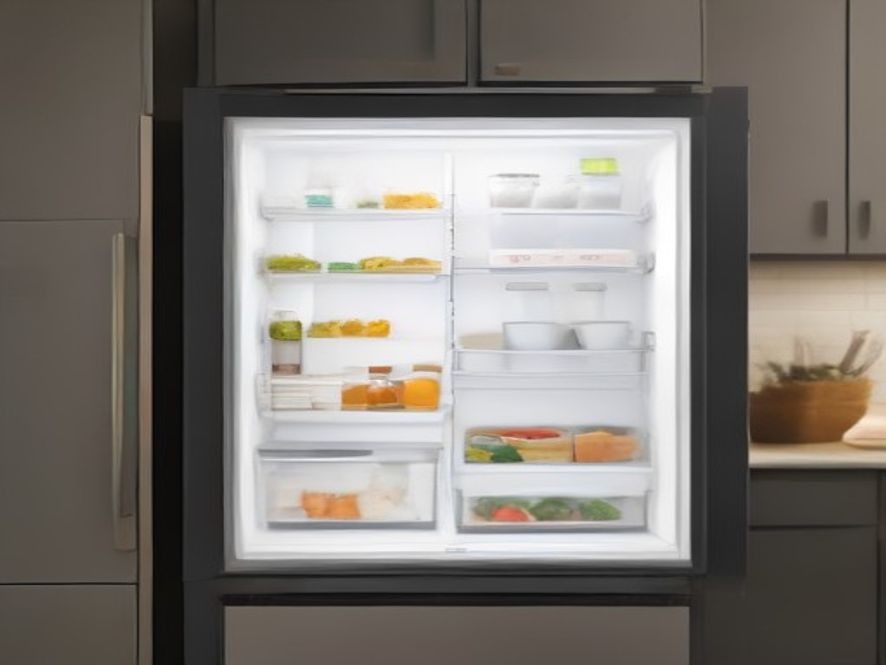
Smart Refrigerators: Which Features Are Actually Worth Paying For?
Standing in the appliance aisle, staring at a wall of refrigerators with touchscreens, cameras, and AI labels, can feel overwhelming—especially when you’re trying to figure out which features will actually make your life easier and which are just expensive bells and whistles.
You’ve probably seen those sleek smart fridges with their giant displays and internal cameras, promising to track your groceries and suggest recipes. But when you’re looking at price tags that stretch into the thousands, it’s worth asking: what do you actually get for that money? This guide breaks down the smart refrigerator features that genuinely solve everyday problems versus the ones that sound cool but may not be worth paying for.
TL;DR
- Inverter compressors are quietly the most valuable “smart” feature, saving energy and keeping temperatures stable.
- Door-open alerts and temperature warnings solve real problems that can save your groceries.
- Internal cameras can be helpful if you often shop without a list, but the novelty fades for many users.
- Touchscreens and voice controls look impressive but may become distractions—especially if you already use a phone in the kitchen.
- Barcode scanners offer a practical approach to grocery tracking, but don’t sync with all your favorite apps yet.
- AI recognition is still limited and works best for common fruits and vegetables, not for most packaged goods.
- Always check whether the brand provides reliable software support and local service options in your area.
Key Takeaways
- The smartest refrigerator feature may be the one you don’t see—the inverter compressor that runs quietly in the background.
- Not all smart features are created equal; some solve everyday problems while others are mostly for show.
- Before paying extra, ask yourself if you’ll still use a feature six months from now.
- Software support and local service availability matter just as much as the hardware itself.
- A reliable, well-built refrigerator with one or two practical smart features beats a flashy model with a dozen gimmicks.
The Smart Fridge Reality Check: What’s Actually Worth the Money?
The Unflashy Feature That Matters Most: The Inverter Compressor
Before we talk about cameras, screens, and AI, let’s start with the smartest feature that most people overlook. Inverter compressors adjust their cooling output continuously based on demand, rather than switching on and off in cycles like traditional compressors . Think of it like driving a car with a smooth accelerator versus constantly slamming the gas pedal and brakes.
Why this matters for you:
- Energy savings: Runs more efficiently and adjusts to your usage patterns
- Quieter operation: No more loud cycling on and off
- Better temperature stability: Your food stays at a consistent temperature, extending freshness
- Longer lifespan: Less wear and tear on the compressor itself
Some advanced models, like the Samsung Bespoke AI Refrigerator, use AI to learn your habits and adjust cooling based on when you typically open the fridge—reducing power consumption overnight and delivering extra cooling when you’re loading groceries . The refrigerator can even be paired with the SmartThings app to unlock a 10-to-20-year compressor warranty in some regions.
The inverter compressor works in the background all the time, quietly making your fridge more efficient. Connected smart features only make a difference if you actually build them into your daily routine .
Door-Open Alerts and Temperature Warnings: Small Features, Big Payoff
In a busy household, refrigerator doors don’t always close properly—a stray drawer, an overstuffed shelf, or a child who didn’t push the door all the way. A door-open alert sends a notification to your phone before you lose cold air and waste energy .
Even more valuable: temperature alerts that warn you if the fridge stops cooling due to voltage fluctuations, an internal fault, or a power issue . If you live in an area with frequent power fluctuations or summer heat waves, this feature can save you from discovering spoiled groceries too late.
These aren’t flashy features, but they solve real problems—preventing food waste, saving money, and giving you peace of mind .
The Flashy Features: What to Think Twice About
Internal Cameras: Genuinely Useful or Novelty?
The idea of checking your fridge contents while standing in the grocery store is undeniably clever. You open the app, see what’s running low, and make your list on the spot.
The honest truth: For some people, this feature genuinely helps. For many others, the novelty fades, and they end up making a plain old grocery list .
What to consider before paying extra:
- How often do you shop without a plan or list?
- Do you frequently forget what you already have at home?
- Would you actually remember to check the app before heading to the store?
Samsung’s AI Vision can currently recognize only 37 fresh food items like fruits and vegetables, plus about 50 packaged goods—meaning many items won’t be automatically identified . The GE Profile Smart Fridge takes a simpler approach: it just captures photos of your produce drawers when you open them, so you can quickly check what you have without any fancy recognition tech .
The camera only faces inside the fridge, so it’s not watching you—and GE includes a physical slide cover for extra privacy.
Barcode Scanners: Practical or Too Much Work?
GE has taken a different approach with its barcode scanner, which you use when you finish an item. Scan the barcode of an empty container, and it’s automatically added to your grocery list .
What works: The scanner recognizes up to four million barcodes and works in roughly a second . It’s a practical solution to a real problem—forgetting what you’ve run out of.
What doesn’t: At launch, the grocery list won’t sync with third-party services like Alexa or Google lists, so you’re locked into the company’s own app .
Touchscreens: Do You Need Another Screen in Your Life?
Large touchscreen displays on refrigerator doors look impressive. But ask yourself: are you going to use a 21-inch screen on your fridge when you already have a phone or tablet in your pocket?
For some families, these screens become useful information hubs—displaying calendars, family photos, shopping lists, and even recipes . The reviewer at Engadget found that the large screen on Samsung’s Family Hub actually improved family planning, with room for a full 30-day calendar that everyone could see .
But there are drawbacks:
- Ads may appear on the screen (Samsung owners have complained about this)
- The screen can be bright and distracting, especially at night
- You’re paying a premium for a screen that may become outdated quickly
- If software support ends, the screen could become a paperweight
Some Samsung models also include voice control, but you need to use the wake phrase “Hey HQ” or similar commands—and if you don’t already use smart speakers, this feature may be forgotten quickly .
Comparison Table: Smart Refrigerator Features Worth Your Money
| Feature | Purpose | Worth Paying For? | Why |
|---|---|---|---|
| Inverter Compressor | Energy efficiency and temperature stability | Yes | Works silently in the background, saves money, extends lifespan |
| Door-Open Alert | Prevents cooling loss and food spoilage | Yes | Solves a genuine everyday problem |
| Temperature Alert | Warns about cooling failures | Yes | Can save your groceries and give peace of mind |
| Energy Monitoring | Track electricity usage | Nice to have | Useful if you like understanding household energy use |
| Internal Camera | Check contents while shopping | Depends on usage | Great for some, novelty for others |
| Barcode Scanner | Automatic grocery list updates | Depends on usage | Practical but only if you build the habit |
| Touchscreen Display | Information hub, recipes, calendar | Often unnecessary | You likely already have a phone or tablet |
| Voice Assistant Integration | Hands-free control | Depends on habits | Useful if you already use smart speakers |
| AI Food Recognition | Auto-track groceries | Limited value | Currently only recognizes 30-50 common items |
The Privacy Question You Should Consider
Smart refrigerators connect to your Wi-Fi and can be a potential security risk . They collect data about your food, your shopping habits, and even your voice commands.
Questions to ask before buying:
- Where is my data stored? (GE states its data remains in the U.S.)
- Does the camera face inside only, or could it capture people?
- Is there a physical shutter or cover for the camera?
- What happens if the brand stops supporting the software?
Some brands offer privacy-minded features, like GE’s camera that only faces inward with a physical cover . But if you’re uncomfortable with a connected device in your kitchen, stick with a traditional refrigerator.
A Simple Test Before You Pay for Any Feature
It’s easy to get excited about a feature when you see a demonstration in a showroom . But what happens when the novelty wears off?
The Six-Month Test: Imagine yourself using this feature six months from now. If it already feels like something you’ll try once or twice and then forget about, think carefully before spending extra .
The best smart features are the ones that quietly solve everyday problems rather than the ones that attract the most attention . An inverter compressor that saves you money every month is more valuable than a camera you only check once.
Smart Fridges Worth Considering (If You Want the Features)
Based on expert reviews and hands-on testing:
Samsung Bespoke AI Refrigerator stands out for its AI hybrid cooling that learns your habits, reducing energy use at night and delivering extra cooling when you need it . The large Family Hub screen can display calendars, photos, and shopping lists, making it a central information hub for busy households .
LG InstaView features a glass panel that lights up when you knock twice, letting you see inside without opening the door—reducing cold air loss and saving energy . You can also check ingredients and freshness through the ThinQ app.
GE Profile Smart Fridge takes a more practical approach with a barcode scanner for grocery list management and a camera that shows you what’s inside when you’re out shopping . At $4,899, it’s still expensive but less flashy than competitors .
For those who prefer reliability over technology, the Sub-Zero DET3650CIIDR earned top marks from Consumer Reports, with an impressive air purification system that scrubs the air inside every 20 minutes . The price tag? Around $14,075.
FAQ: Smart Refrigerator Questions Answered
Are smart refrigerators worth the extra cost?
For most people, the additional cost isn’t justified—a reliable traditional refrigerator with an inverter compressor offers the best value.
What smart fridge features actually make life easier?
Inverter compressors, door-open alerts, and temperature warnings solve real everyday problems.
Do internal cameras help with grocery shopping?
They can, but only if you actually remember to check the app before heading to the store.
Can I use voice control with a smart fridge?
Many models support voice commands, but you typically need a specific wake phrase and an app to set it up.
What’s the most important feature to look for in a new fridge?
An inverter compressor for energy efficiency, stable temperatures, and quieter operation.
Do smart fridges show ads?
Some Samsung models have been criticized for displaying ads on the screen—definitely worth checking before buying.
How long do smart refrigerators last?
Inverter compressors often come with 10-20 year warranties, but the smart components may become outdated faster.
Your Turn: Make a Smart Choice
Smart refrigerators offer some genuinely useful features—especially when it comes to energy efficiency, temperature stability, and preventing food waste. But not every feature is worth paying for. The most important decision isn’t which refrigerator has the most features; it’s which features actually make sense for your everyday life and fit naturally into your routine .
Start with your lifestyle, not the latest features. Think about what problems you actually want to solve, and choose a refrigerator that addresses them directly.
Which smart fridge feature would be most useful in your kitchen? Or would you rather stick with a reliable traditional model? Share your thoughts in the comments below!
Trusted Resources for Refrigerator Buying and Smart Home Technology: