Smart Kitchen Gadget Buying Mistakes to Avoid: A Practical Guide
A “smart” label on a kitchen gadget doesn’t guarantee it’s worth your money—and falling for the hype can leave you with expensive, frustrating clutter.
You’ve seen the ads: AI-powered coffee makers, Wi-Fi-enabled fridges with built-in touchscreens, and voice-activated faucets that sound like science fiction. The promise is alluring, but the reality often falls short. Many smart kitchen gadgets are little more than marketing gimmicks that add complexity without real value . This guide will walk you through the most common buying mistakes and show you exactly how to avoid them, so you can build a kitchen that’s genuinely smarter—not just more expensive.
TL;DR
Smart kitchen gadgets can be useful, but many are overpriced gimmicks. Common mistakes include ignoring ecosystem compatibility, overpaying for unused features, overlooking basic performance, and forgetting about your home Wi-Fi. Focus on solving actual problems, prioritize core function over smart features, and always check for manual controls as a backup. The smartest choice is sometimes a high-quality “dumb” appliance.
Key Takeaways
- Don’t be fooled by marketing buzzwords—”AI” and “smart” are often used to justify high prices.
- Check core performance first: A smart oven that can’t bake evenly isn’t worth the Wi-Fi.
- Ecosystem matters: Gadgets from different brands often don’t work together.
- Wi-Fi reliability is essential: Weak networks turn smart devices into dumb ones.
- Always keep manual controls: A gadget that requires an app for basic function is a disaster waiting to happen.
Mistake #1: Falling for Marketing Hype and Buzzwords
The word “smart” can be slapped on just about any product, whether it’s warranted or not . Manufacturers often turn to trending terms like “AI,” “precision,” or “intelligent” to make their products seem revolutionary. But there are no strict rules governing these terms .
Consider the “smart” rice cooker with “Fuzzy Logic Artificial Intelligence.” In reality, rice cookers have worked the same way since the 1950s—they use a simple temperature sensor to turn off when the water boils away, because the temperature can’t exceed 212°F until the water is gone . That’s clever engineering, but it’s not AI.
How to avoid this mistake:
- Treat marketing claims as questions to verify, not facts .
- Ask: What problem does this actually solve? If you can’t describe it in one sentence, pause .
- Look for independent reviews with real testing methods, not just lifestyle photos .
Mistake #2: Ignoring the “Walled Garden” Trap
Imagine buying a Samsung smart fridge, a GE smart oven, and a Philips smart lighting system—only to discover they can’t talk to each other. You end up managing five different apps and zero seamless automation .
This ecosystem incompatibility is one of the biggest and most common mistakes . Many buyers assume that because devices are all “smart,” they’ll automatically work together. They don’t.
How to avoid this mistake:
- Look for the “Matter-Certified” logo. Matter is the 2026 universal smart home standard designed to fix compatibility issues .
- Decide on your primary smart home ecosystem (Alexa, Google Home, Apple HomeKit) and verify that every new appliance is compatible .
- For advanced users, open-source tools like Home Assistant can orchestrate devices locally and provide dashboards .
Mistake #3: Overpaying for Gimmicky Features You’ll Never Use
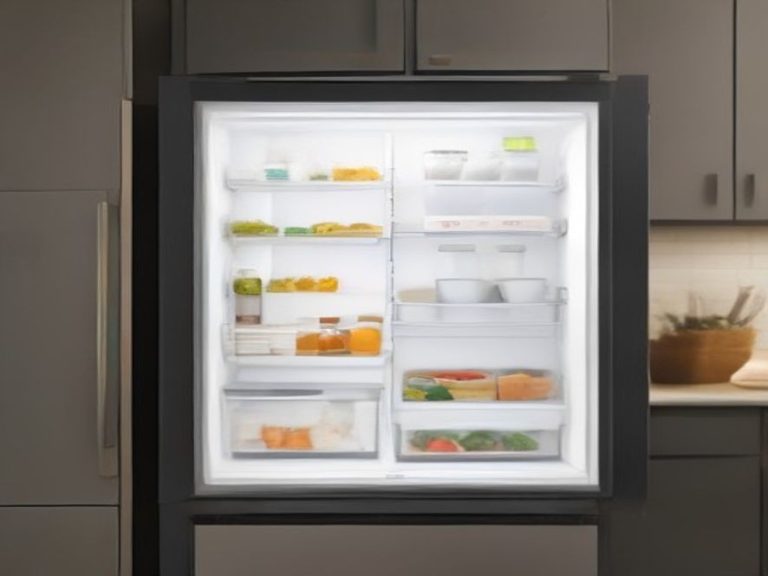
Smart refrigerators with tablets on the door, cameras inside, and voice assistants sound impressive. In practice, they’re often expensive gimmicks . The fridge screen is often too small or poorly positioned to be useful, and the cameras have a limited field of view . Plus, features like grocery tracking only work if you manually maintain them .
Real estate professionals note that many smart features don’t add resale value either. “People care more about brand recognition, finishes, and space utilization than anything else,” says one award-winning realtor .
How to avoid this mistake:
- Identify your top 3 kitchen frustrations before you shop .
- If a smart feature doesn’t directly address one of those problems, it’s likely a gimmick .
- Avoid “wow factor” extras unless you know you’ll use them daily .
Mistake #4: Prioritizing “Smart” Over Core Functionality
A smart oven that struggles to maintain temperature or a smart dishwasher that cleans poorly isn’t worth it—no matter how many apps it connects to . The fundamental purpose of the appliance must come first.
A survey by the Jiangsu Consumer Protection Commission found that 55.97% of users said smart fridge features like automatic food recognition required manual input, adding steps instead of saving time. And 54.94% found that basic operations needed multiple clicks, making things more complicated .
How to avoid this mistake:
- Research core performance first. Read reviews of the non-smart version of the appliance if available .
- If the basic model isn’t highly rated for its primary function, the smart version likely won’t be either .
- Ask for a demo or trial period. In-store demos show the interface, but they don’t reveal real-world performance .
Mistake #5: Forgetting About Your Wi-Fi Network
Smart appliances rely heavily on a robust home Wi-Fi network. Older homes with thick walls or multiple floors often have dead zones where Wi-Fi signals struggle . If your smart oven keeps disconnecting or your voice commands lag, the “smart” features become frustratingly unreliable .
Worse, some smart features become completely useless without internet. Real estate agent Ariel Baverman notes that “if your internet goes out and you have power but can’t use the item, it’s essentially pointless.” She’s had clients locked out of smart thermostats after moving out, unable to manually adjust them .
How to avoid this mistake:
- Test your Wi-Fi signal strength in the kitchen with a Wi-Fi analyzer app .
- Consider a mesh Wi-Fi system for larger homes .
- Look for devices with offline fallback modes and local control .
Mistake #6: Buying Gadgets That Are Cloud-Dependent
Cloud-only operation is a major red flag . If a device relies entirely on cloud servers to function, you’re at the mercy of the manufacturer’s servers staying online. When June Ovens were discontinued after the company was acquired, owners faced the prospect of losing key features they’d come to rely on .
How to avoid this mistake:
- Look for devices that work even without an internet connection .
- Prefer appliances with manual buttons, knobs, and displays that work independently of any app .
- Choose devices with documented local protocols like REST or MQTT .
Mistake #7: Overlooking Privacy and Security Risks
Smart appliances collect data—usage patterns, door open/close status, and sometimes more . While they’re not “spying” on you in the traditional sense, many consumers are uncomfortable with unclear data policies.
How to avoid this mistake:
- Connect smart appliances to a guest Wi-Fi network, not your primary one .
- Disable cameras or microphones you don’t need .
- Review app permissions and check what data is being collected .
- Install firmware updates at least twice a year for security fixes .
- Prefer devices with local control over cloud-only operation .
Smart Gadgets That Are Actually Worth It
Despite the pitfalls, some smart kitchen tools provide genuine value. Here are features worth considering:
- Leak detectors: Alert you to water leaks before they cause expensive damage .
- Energy monitoring smart plugs: Can make “dumb” appliances smart and help track usage .
- Smart scales with Bluetooth: Useful for precision baking, especially if they work locally .
- Refrigerator door-ajar alerts: More practical than built-in tablets .
- Voice-controlled lighting: Great for hands-free operation when your hands are messy .
Comparison: Smart Features Worth Paying For
| Feature | Purpose | Worth It? | Why |
|---|---|---|---|
| Touchscreen on fridge | Entertainment, recipes | No | Too small, poor positioning, expensive gimmick |
| Cameras inside fridge | Peek at contents remotely | No | Limited field of view, requires manual labels |
| Door-ajar alerts | Prevent food spoilage | Yes | Simple, useful, low cost |
| Leak detection | Prevent water damage | Yes | Saves thousands in repairs |
| Smart plugs | Remote control, scheduling | Yes | Costs under $30, works with existing appliances |
| Voice-activated faucets | Hands-free operation | No | Unreliable, poor response times |
| Remote preheat for oven | Time savings | Maybe | Useful if you use it weekly |
| App-only garbage disposal | Voice/remote control | No | Safety hazard, weird voice commands |
FAQ: Common Smart Kitchen Questions
What is the biggest mistake people make buying smart kitchen gadgets?
Buying devices from different ecosystems that won’t work together, leading to a collection of isolated gadgets and app clutter .
Are smart refrigerators worth the extra cost?
Usually not. The touchscreens and cameras often end up as expensive gimmicks that don’t improve daily life .
How can I tell if a smart feature is useful or a gimmick?
Ask if it solves a specific problem you actually have. If it just sounds cool but doesn’t save time or reduce waste, it’s a gimmick .
What should I check before buying a smart appliance?
Core performance (how well it cooks/cleans), ecosystem compatibility, Wi-Fi reliability, and whether manual controls exist as a backup .
Should I buy first-generation smart kitchen tech?
No—wait for the second revision, when most bugs are already fixed .
Can I make my existing appliances “smart” without buying new ones?
Yes—smart plugs with energy monitoring can add scheduling and remote control to many “dumb” appliances for under $30 .
Resources and Further Reading for Smarter Kitchen Purchases:
- Why Smart Kitchen Gadgets Aren’t Always Better – Yahoo Tech
- Common Smart Kitchen Buying Mistakes – TechToTable
- Smart Kitchen Appliances Guide – HK Gadgets
- Smart Kitchen Upgrades You’ll Regret – Apartment Therapy
Which kitchen gadget mistake have you made—or which one are you trying to avoid? Share your thoughts in the comments.